Showing posts with label Android. Show all posts

ROOTING YOUR ANDROID DEVICE: Top 9 reasons why you should root

INTRODUCTION

Rooting is simply the process of allowing users of Android devices attain privileged control (root access) over Android's subsystems. Rooting opens a door of limitless possibilities to the end user since it allows you to break the boundaries set by the stock OS. 

WHY YOU SHOULD ROOT YOUR ANDROID 

As I said earlier on, rooting your android device gets you flying higher with your device. Rooting gives you that opportunity to tweak your device to the maximum and get the best out of it. Let's have a look at some reasons why you should root you your device. 

  • Speeding up device and keeping battery healthy:
    Some apps are just great, but to be honest, they become even greater with root access. Some apps that we run everyday to keep our phones faster and keep our batteries healthy work even better when the have root access. They go into the subsystems to give great tweaks that give us even better performance. 

  • Blocking ads:  
    Some app developers just go off the line with the type of annoying ads they embed in their apps. Some of these ads are so intrusive that you keep getting tapped every time you try tapping something on your screen causing wastage of time, data and creating loads of frustration. With a rooted android device, one can say goodbye to those stuff with the root access required apps like a adblock. 

  •  Call blocking:


    As the title suggests, through rooting, you are able to block those calls you have received before and wouldn't want to receive ever again through the help of a simple app called root call blocker. Root call blocker is an app that goes into Android's subsystem and prevent calls from blocked users from ever coming through by blocking the numbers on the network so the caller does not even notice they've been blocked. 

  • Clearing junk Pre-installed apps:
    Yeah, those crazily annoying apps that have been pre-installed by the device's manufacturer. With a root, you can easily clear them. After all most of them are actually not of any use to you. So gain some space, RAM and CPU now by clearing those thrashy things called apps from your phone with the help of some root required apps like pre-installed app remover. 

  • Auto-tasking your device:
    As the title says, with rooting, apps like Tasker and device control help you auto task everything. Yeah, I know that without rooting, you can do all these but with rooting, you are spoilt for choice. You will be able to even time your 3G, WiFi, GPS, CPU speed, GPU and even the time for the screen to even turn on. So if you want to enjoy auto tasking in a better way, then you should root your device. 

  • Opening the door to limitless possibilities:
    Sometimes, Android does not really give you what you want. Sometimes, apps are blocked by carriers and some key features you want are totally unavailable. All thanks to rooting, we are now able to get all that and even more. With rooting, you are able to make incompatible apps compatible, get carrier-blocked apps, even get WiFi tethering working on phones that initially don't support it and so much more. 

  • Backing up your whole device:
    With an unrooted device, you can be able to back up apps but never the data. With rooting and with the help of apps like titanium backup, you can back up everything from installed apps to data through to pre-installed apps and even the whole Operating system. 

  • Flashing custom kernel:
     To be honest, most of Android's great tweaks require flashing of a kernel. What the kernel does is helps  your softwares communicate with the hardware of you device in a faster manner. Kernels help you overclock (help set the CPU speed of your device to a higher frequency than the stock) and even more. This means better performance, battery and so much more. 

  • Flashing custom ROM:
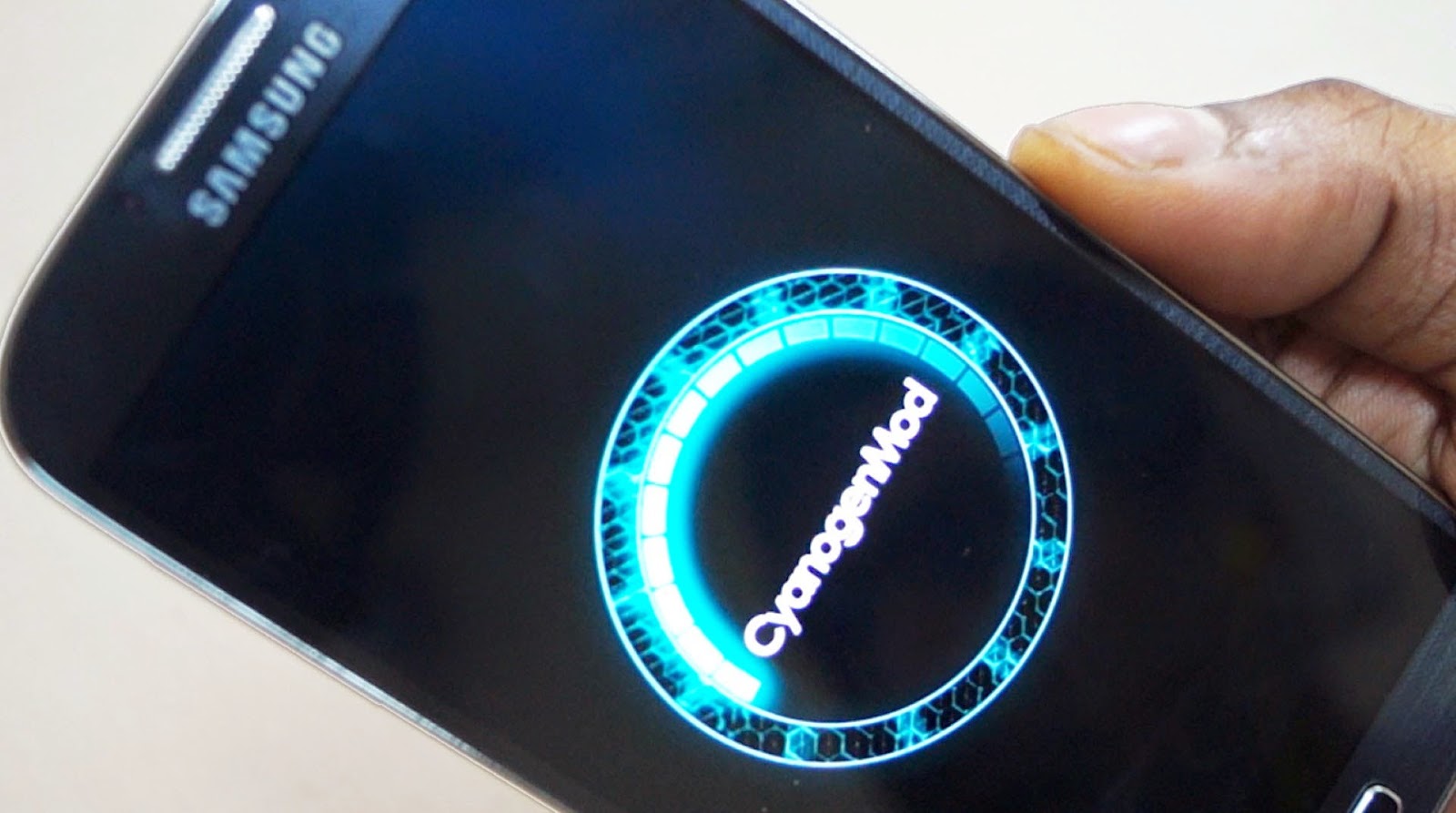
    Yeah, flashing custom ROM takes you to a whole new world of Android experience. Custom ROMs are lighter and even better performing than the stock ROMs. You will be able to get the latest version of Android even if your manufacturer did not roll out update. And even with a custom ROM like Cyanogen, you will be able to know who is calling you (when you don't have the person's info on your device) within micro seconds. 
Hope these explains why you should actually root your phone. 

Your comments and suggestions are all welcome and please don't forget to share. 

ANDROID'S CYANOGEN MOD USERS WILL SOON BE ABLE TO KNOW WHO IS CALLING THEM WITHIN MICRO-SECONDS

A PARTNERSHIP WITH TRUECALLER IS ONE THAT WILL ACTUALLY DECREASE THE NUMBER OF SPAM CALLS RECEIVED EACH DAY. 

Getting a call from an unknown person is something very common and frustrating as well. And if you are on android, so many companies have solved this mysteries years ago. Companies like Facebook and Google make a quick search online to give you details on who is calling you as your phone is ringing.

But not everybody can or wants to use Facebook or Google's services. And also, this process is very long and quite difficult to use and this has been Cyanogen's mission statement for quite some time now.The company is on a quest to replace Google's grip on the core parts of Android, and thinks that users can be better-served by apps that can be updated more frequently and that play better with competing third-party services. Yet unlike some carriers and hardware makers that basically pre-install apps, Cyanogen's been building them into its own software.

The company's latest of all its efforts is a partnership with Truecaller which was announced yesterday 13th of May, 2015, a deal that will bake Truecaller's web-enabled caller ID right into phones running cyanogen OS.The feature exists not as an app, but a built-in service, and requires users to opt in before it starts working. After saying yes, it will sniff out an incoming number in less than a second and tell you who it is.


HOW IT WORKS 

Cyanogen's vice president of product Dave Herman notes that the feature extends beyond identifying numbers, and was designed to keep spam at bay. Besides identifying an incoming caller, it lets people report bad numbers. So far its database includes about 1.7 billion numbers, and if it's one that people have marked as a solicitor or scammer, you'll see it in Truecaller's caller ID.
"You still see the phone number, but then you see that 635 people have marked it as a spam call, and instantly you can answer it or see whether to reject it," Herman says. "That's something that's going to bode well for emerging markets, where spam calling is very high.", he said. 

AND EVEN MORE OF THESE TO COME


Cyanogen is currently in the midst of another similar deal with Microsoft that it announced last month. It will bring "native integrations" of Bing, Skype, OneDrive, OneNote, Outlook, and Microsoft Office into Cyanogen OS later this year. Those will join NextBit, a sync, backup, and Apple handoff-like service that Cyanogen began integrating in its phones last fall. Its key feature is letting you stop using an app on your phone, then pick up right where you left off on your tablet or another device (and vice versa).

These integrations, and this new one with Truecaller, raise the question of whether this kind of deep integration is better for users than simply installing apps from Google's store, or others like it, where they can get updated without touching other parts of a user's operating system. Google began decoupling many of its apps from Android for just this reason, since apps could get quickly outdated if people were waiting for an update from their carrier. Herman contends that Cyanogen's speed thus far should allay those fears. "We have the ability on our side to push updates frequently, like our nightly builds," he says. "People expect them daily.
Hope you now understand why Cyanogen rocks? A post on how to flash Cyanogen mod onto you android will soon be posted. 
Suggestions and questions are welcome. Please don't forget to share. 

SAMSUNG GALAXY S6: The big fix finally released. + Google being slapped in the face with reality.


Just a few weeks ago, Samsung, the leading manufacturer of Android devices released the latest of their 'S'  series which is running on the latest version of Android operating system, 'lollipop'. Many people using this device thought of it as a super speedy device but just a week ago, Samsung stepped forward to admit that both the galaxy s6 and s6 edge are suffering real performance problems and promised to deliver a speedy fix. Samsung have been true to their word.

Today, it has been confirmed that both the s6 and s6 edge users are beginning to receive the update. Though the official changelog for the 'G920FXXU1AODG' is disappointed vague, many users who have got the update have confirmed that the new update is far better in terms of performance. 


I know many will be shaking their head at the moment wondering why a phone that is been widely considered as one of the fastest smartphones in the market need an update to make it faster. The answer is surprisingly simple: due to way Samsung handles memory, the real con of the device is not noticeable immediately, it's only known after a few weeks. In short, the phones don't  free up RAM well from apps which are not currently in use. Consequently over time the phones get slower and slower and eventually start forcing apps to crash. It is possible to individually close apps from the multitasking menu, but that doesn’t work as well as a complete reboot. And due to this, most reviews did not really spot this flaw. Many people noticed it after a month. 

The update is over the air so go to settings>about device>software update>update ASAP to get it.


So who do we blame, Google or Samsung? 

Since the rollout in October, 2014, many people have been complaining about the android lollipop with many people who have upgraded from kitakat to it wishing they never did and many who wish to upgrade to it being totally discouraged. 

Interestingly, while Samsung now seems to have the issue in hand, many have questioned if the finger of blame should actually be pointed at Google.

Android Lollipop has suffered memory management problems since it was originally launched and Android 5.0.1, 5.0.2 and 5.1 have all failed to fully fix it. Android 5.1.1 is next in line and Samsung is actually working on getting this to both phones in super quick time, which is a potential game changer.

Still it appears Samsung has beaten Google to the punch here, quite a scalp given though Nexus devices still struggle with the same issue.

Well, the main issue many keep wondering about is if both the s6 and edge will be able to stand the test of time since both of them do not have removable batteries but android apps are known for squeezing the juice out of the battery. 

Well, I can't conclude; this is just a start.... 

Pls leave your comments and suggestions in the comment box below and also don't forget to share. 

2 GREAT WAYS TO DOWNLOAD VIDEOS FROM YOUTUBE, FACEBOOK, TWITTER, VIMEO AND OTHER VIDEO STREAMING SITES ON YOUR ANDROID FOR FREE . REVEALED!


There is that one particular video you watched on YouTube, Facebook or one of those video streaming sites and really wish you could download it on your android coz you keep on streaming it everyday. Well, it is not an impossibility. It is not just possible but also very simple and easy to do. I will just highlight on these two great apps that you can use for this job.

Note that the apps I'm about mentioning do not exist on playstore. They used to exist there but due to the number of fake ones that other developers were developing and uploading there, they were removed. But you can tap on the names for you to download them from the site I have uploaded them

Before we continue, you should also know that since the apps are not on playstore, you will need to install them manually. Follow these few steps and you are good to go.

HOW TO INSTALL APPS THAT ARE NOT DIRECTLY FROM THE PLAYSTORE

In order to install such apps, got to settings, scroll down till you see security. Tap on that, scroll down, and tap on the "unknown sources" box. You will get a pop up as in the picture....
Tap Okay, after all you won't be installing a virus. You are good to go

1. TUBEMATE

Tubemate is undeniably the best video downloader out there. It does not only download videos but also helps you convert the video into mp3 format on the go. It allows you to choose any pixel for your video. It supports 3gp, flv and mp4 formats ranging from 240p to 1080p giving you the ultimate choice not to only download but how you also want it downloaded. One great thing about it is that, it has its own inbuilt browser which makes the searching and downloading of the videos even easier and fun. It also allows you stream the videos before downloading so that you are totally assured you are on the right track.


HOW TO USE TUBEMATE
Download the app from the site I've linked to the name. Install it and launch the app. The default site of tubemate is YouTube . com.

In order to enter a new address, tap on the menu button  at the top left corner and input your new address. You can download the video being played by tapping the "download button 1" or "download button 2"

You should flick from right to left in order to View your downloaded videos and mp3. Also, you can search for videos on the site by name by using the tubemate search button. 
Guess you've now seen how really easy it is to use tubemate. 


2. VIDEODER 

Videoder is also another app that allows you to download videos from YouTube. It is also very good but one disadvantage it has is that it does not have its own browser but the situation's been rectified by developing it own inbuilt search engine which allows you to search for the exact video you want and download it on the go. Just like tubemate, it also allows you to stream the videos before downloading so as to help you not download some thrash instead of what you want. It also allows you to download videos in your preferred pixel.

HOW TO USE VIDEODER 

In order to use videoder, first download the app by tapping on the name and install it.


Launch the app and tap on the search button. Type the name of the video and search, wait for sometime for it to show all the details, tap on the video and download in your preferred pixel. And to view your downloads, just tap on 'downloads'  on the right.

Hope you've now seen how easy it is to download videos from streaming sites. 

All your comments and suggestions are welcome. Pls don't forget to share. 

10 killer android apps that you should be having by now


You've just purchased a new Android device or you have been using one for quite some time but you do not really know which apps to install. The Google playstore is filled with over a million apps which makes it give you many choices, infact too many choices. Well, I'm here today to educate you on the top 10 apps that you should be having on your phone.

NB: some of the apps I will mention are not found in the store but are great apps so I have uploaded them onto another site for free download. 

10.  MX player (playstore) 
MX player is by far the best video player for Android supporting almost all existing video formats hence saving you the stress of converting videos before sending to or playing your device. This app has great gestures and has a great UI. It supports static mode hence helping your screen stay at the same angle even when you rotate your device while watching a movie. It also supports child mode so you can make your child watch a movie without worrying about him/her pressing any button and navigating somewhere else.

9. TUBEMATE (site)
With this app, you will even forget the YouTube app ever existed on your phone. This app does not only help you stream videos on YouTube but also helps download them. Yeah, you read it right download and at more than 3mb/s. One great thing about this app is that, it does allow you download videos from any other site that allows video streaming. It also has a feature that allows you to convert the video to mp3 format on the go with the help of an app it will redirect you to download from playstore named mp3 video converter. This app is unavailable on playstore because of the numerous fake ones existing there but you can tap/click on the name to get redirected to the download link.

8. CAMERA 360 (playstore)
Yes, your phone does have a camera appbut camera 360 take photography to the next level. With its own built in high class editor and editing preferences, you will never use your phone's stock again camera app. And when you add picsart in the mix, you will be able to create posters all by yourself on your android device without needing a professional.

7. XENDER (site)
Xender is the app that you willingly allow replace your Bluetooth for you after the first usage. This app does not only allow for Android - she android sharing but goes the extra mile for you to send and receive files, videos, music, apps and games (but the app's and games will only work when they are from the same operating system ie android-android and IOS-IOS)  from PC and IOS devices at a speed more than 3mb/s and that 10x faster than Bluetooth or USB. One good feature this app has is that it allows you to share its apk file with other android users right from the app for them to install. Just press the invite button. 
.

6. FIREFOX (playstore ) 
Almost all android devices already do have Google Chrome already pre-installed but if you are looking for Speed and reliability, then mozilla Firefox should be your choice. This browser loads pages at lightening speed and also give you a high level of protection and privacy when you are online.

5. SWIFTKEY KEYBOARD (playstorel
Most android users are Samsung users and it can be testified that the Samsung keyboard is nothing to write home about. SwiftKey keyboard makes typing great and fun. With it's swipe feature, word autocorrect, next word prediction and numerous themes, typing is now really fast and fun. The best thing is that, it is having a great price tag which is 'free'.

4. KICKASS TORRENTS (site)
Kickasstorrents.com is the largest and best torrent community. With the introduction of their android app, things are even easier now. This app allow you to download almost anything from the Internet for free. With its search setting button, you will be able to limit you search to the file type, time uploaded and size.

3. OLWEB  TV (site)
OLWEB is an app that allows you to watch television on your android device free of charge without any kind of subscription aside your data charges. With its over a hundred television stations, you are spoilt for choice. You can watch all sports events, news, movies just to mention but a few around the world.

2. OFFICE SUITE(free version on playstore) or download pro version free here
While Google Drive helps you view your documents, office suite helps you even edit and create them as you would do with Microsoft Office on your computer. With this app, you will be able to create, edit, view and with the help of Google Drive, upload all your documents onto your cloud.

1. AVG ( playstore)
AVG mobile security helps detect malware and with its built in battery saver and phone speed booster, you will be able to extend your battery life and speed up your phone as well. It also has app backing up feature which allows you to back up all your important apps (you can download battery doctor and clean master to do the battery saving and phone speeding up respectively as well) . AVG also has an anti - theft feature which helps find android devices wen they are lost.

All this apps should definitely be on your android device for you to enjoy you device's full potentia. 

Has your android phone started lagging and hanging all of a sudden? 8 KILLER WAYS TO MAKE YOUR PHONE FAST"AGAIN AND EVEN FASTER REVEALED!


MAKING YOUR ANDROID FAST AGAIN IS VERY POSSIBLE 

You bought a very speedy android device which gives you the chance to play games, watch videos, surf the net and even browse your home screen with great transition effects in a very great and speedy manner. It does everything you want just so well and speedily. Everything works just perfectly.

Fast forwarding to just 365 days down the road, your super speedy machine turns into one almost piece of junk which's apps take a century to launch, the play button of its games take decades just to sense your touch, hangs every minute and gets you so fraustrated that you sometimes just want to smash it on the ground. I've been there before, same applies to your next door neighbor. Well, all hope is not lost. We will soon alleviate the situation within just some few minutes and you will be shocked at how your android device will just get speedy again.


SO THE QUESTION IS HOW DO YOU MAKE YOUR DEVICE FASTER AGAIN? 

You never needed a professional to make you device perform very well again. All you need to do is take this risk free steps and you are getting that speedy device back. 

8. UNINSTALL USELESS APPS 


I know you very well know what I am talking about; those apps that you downloaded from the playstore, tried them once or twice and you never thought of their existence on your device again. Yes, they are the ones. Those apps don't only take memory, but they also do take up your CPU which makes your phone slow down with time. Whenever you start your phone, some of them autostar,  filling your RAM and using your CPU for their unneeded services. So why don't you just clear them and save yourself the stress? 

7. DELETE ALL UNWANTED FILES


Yeah, those files that you needed sometime ago but need no more; clearing them will give you lots of benefits. A lighter device gives a higher speed than a chocked one. Deleting no more needed files will make you phone lighter and automatically making it speedier. So, go to your gallery and delete unneeded images and videos, go to your file manager and delete unwanted files and also go to your browser and delete all those files you downloaded but no longer need. 

6. CLEAR YOUR CACHED DATA


Cached data in general is no bad thing. Apps on your device actually cache their data so that the next time you open them, you will not need to re-download or regenerate them again. But with all these merits, cached data can actually be a great nuisance to your device. Apps you use no more and even some that you have uninstalled still do keep their data on you device making them consume space and reduce the speed of your device.


It's really easy to clear cached data.


Open the settings on your Android, and go into the device storage page. Scroll down the list until you see the Cached data entry, and tap on it. You'll see a pop-up telling you that you're able to clear out all cached data. Tap Okay coz there's no disadvantage in clearing your cache afterall everything can be rebuilt at no cost just after launching the app and also getting a speedy device in the long run is far more important Right? . 


5. WIPE YOUR SD CARD


Though it is not all Android devices that have one, those that have need to be checked. A messy SD card can actually make your device chug. All you need to do here is format your SD card and you are good to go. 

Warning! When you format your SD card, you stand the risk of losing game data which includes your level reached, coins and other earnings. If your games don't support cloud saving, then think twice before doing this.


 Now remove your SD card form your device, place it into and adapter and insert it into your computer. Create a new folder on your desktop and name it as you will be able to remember. Copy and paste everything from your SD card into the folder on your desktop. Check it s many times as possible in order to be sure everything is copied. Now format the SD card and copy everything from the folder back onto the SD card.


4. DOWNLOAD PHONE BOOSTING APPS


This is also one of the most useful ways to make your device faster. There are many phone boosting apps on the playstore but DU speed booster and Clean master are the most popular. What these apps do is freeing your RAM by killing background apps and also help in clean junk files hence making your phone faster.


3. FACTORY RESET 


If all the above methods don't help as much as you wanted, then you have one more risk free method; that is factory reseting. Factory reseting clears file you have downloaded on your device and deletes every information you have ever entered on the phone. Simply put, it will send the phone to how it was when you first unboxed it aside the hardware aspect.


It is really easy to factory reset your device. You'll find a way to reset your phone in the device settings. Look for words like backup and restore or privacy to find the exact entry. Once you find it, tap away and wave goodbye to all those Knights of Pen and Paper levels.

When things boot back up into Android, you'll be nice and fast again, which is good because you'll be spending plenty of time swiping and tapping to set everything back up.
Note: These final two methods will make your device's warranty void and also it is quite risky. If you are not very careful, you can end up bricking (your device will be stuck on the bootloader screen ) your device.
2. ROOTING
Rooting your device actually unlocks a whole new world of possibilities for you. You can install apps like root call blocke, adblock and others.  Not only can you install apps that require root access but you can also overclock(increase the speed of the device to its maximum performance) your device. Overclocking is the best way to make your device even faster than how it was when you first bought it. 

1. FLASHING CUSTOM ROM


Unlike stock roms, custom roms are very light and very speedy. You can get a custom rom with size 200mb maximum whiles stock roms are twice heavier than that. And as I said earlier, the lighter, the faster. 


l will go into detail more on rooting and flashing custom roms in my next two posts. Please leave comments, questions and suggestions behind. Don't forget to share.