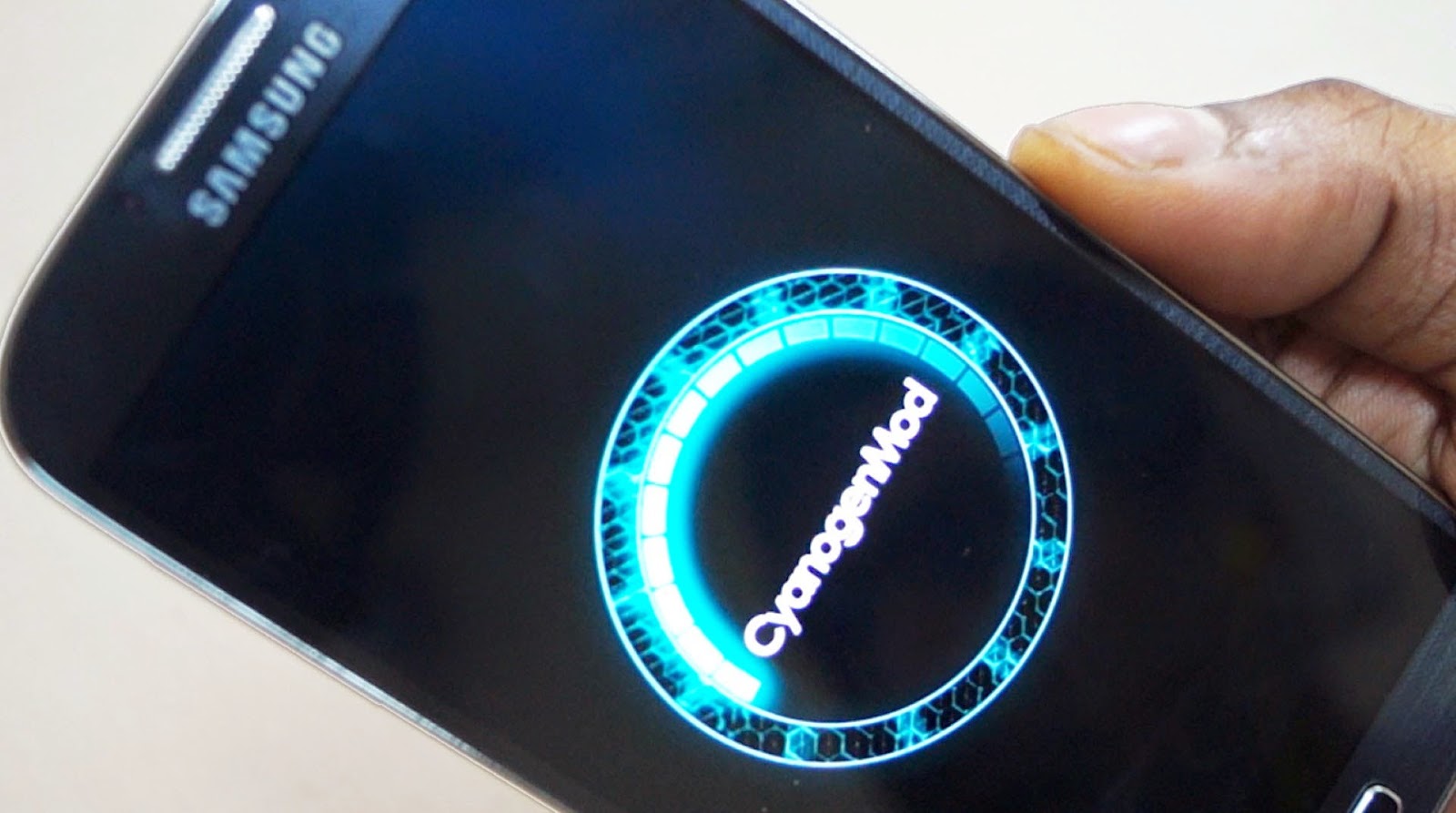
ANDROID'S CYANOGEN MOD USERS WILL SOON BE ABLE TO KNOW WHO IS CALLING THEM WITHIN MICRO-SECONDS

A PARTNERSHIP WITH TRUECALLER IS ONE THAT WILL ACTUALLY DECREASE THE NUMBER OF SPAM CALLS RECEIVED EACH DAY. 

Getting a call from an unknown person is something very common and frustrating as well. And if you are on android, so many companies have solved this mysteries years ago. Companies like Facebook and Google make a quick search online to give you details on who is calling you as your phone is ringing.

But not everybody can or wants to use Facebook or Google's services. And also, this process is very long and quite difficult to use and this has been Cyanogen's mission statement for quite some time now.The company is on a quest to replace Google's grip on the core parts of Android, and thinks that users can be better-served by apps that can be updated more frequently and that play better with competing third-party services. Yet unlike some carriers and hardware makers that basically pre-install apps, Cyanogen's been building them into its own software.

The company's latest of all its efforts is a partnership with Truecaller which was announced yesterday 13th of May, 2015, a deal that will bake Truecaller's web-enabled caller ID right into phones running cyanogen OS.The feature exists not as an app, but a built-in service, and requires users to opt in before it starts working. After saying yes, it will sniff out an incoming number in less than a second and tell you who it is.


HOW IT WORKS 

Cyanogen's vice president of product Dave Herman notes that the feature extends beyond identifying numbers, and was designed to keep spam at bay. Besides identifying an incoming caller, it lets people report bad numbers. So far its database includes about 1.7 billion numbers, and if it's one that people have marked as a solicitor or scammer, you'll see it in Truecaller's caller ID.
"You still see the phone number, but then you see that 635 people have marked it as a spam call, and instantly you can answer it or see whether to reject it," Herman says. "That's something that's going to bode well for emerging markets, where spam calling is very high.", he said. 

AND EVEN MORE OF THESE TO COME


Cyanogen is currently in the midst of another similar deal with Microsoft that it announced last month. It will bring "native integrations" of Bing, Skype, OneDrive, OneNote, Outlook, and Microsoft Office into Cyanogen OS later this year. Those will join NextBit, a sync, backup, and Apple handoff-like service that Cyanogen began integrating in its phones last fall. Its key feature is letting you stop using an app on your phone, then pick up right where you left off on your tablet or another device (and vice versa).

These integrations, and this new one with Truecaller, raise the question of whether this kind of deep integration is better for users than simply installing apps from Google's store, or others like it, where they can get updated without touching other parts of a user's operating system. Google began decoupling many of its apps from Android for just this reason, since apps could get quickly outdated if people were waiting for an update from their carrier. Herman contends that Cyanogen's speed thus far should allay those fears. "We have the ability on our side to push updates frequently, like our nightly builds," he says. "People expect them daily.
Hope you now understand why Cyanogen rocks? A post on how to flash Cyanogen mod onto you android will soon be posted. 
Suggestions and questions are welcome. Please don't forget to share. 

IOS 8.2: apple silently kills it. And reasons why you wouldn't want to upgrade to ios 8.3

Apple always knows how to do it and they've done it once again. Unlike android who have rolledout lollipop for more than 6 months and yet are unable to reach even 10% of their users, Apple’s rollout of iOS updates  is both slick and efficient, with the majority of eligible handsets upgrading in short order. Apple is also quick to lock out older version that may have a number of bugs that need to be avoided.

"You have to hand it to Apple, it knows how to get the latest versions of iOS onto users’ devices – one way or another. The positive way is Apple’s unparalleled ability to make updates immediately available to all. But there is also a more sneaky method and Apple has just used it again…"

As a result seven week old iOS 8.2 has been unceremoniously killed off by what Apple calls ‘code signing’. This leaves iOS 8.3 as the only version of iOS which the company will allow to be installed on owner’s iPads, iPhones and iPod touch. Oops, that sounds unfair. 

HOW CODE SIGNING WORKS

Code Signing triggers at the point of installation. Every version of iOS has to ‘sign in’ with Apple’s servers first to verify its identity and receive permission to install. If Apple refuses to sign off the software it aborts, and clever Twitter bot @TSSstatus has detected iOS 8.2 signatures are no longer being signed off.


WHAT I REALLY IMPLIES

The long and short of this is iOS owners can now only install iOS 8.3 from now on (unless they have developer access to betas of iOS 8.4), regardless of which version they are currently running.

THE MAIN REASONS WHY YOU WOULDN'T WANT TO UPGRADE TO IOS 8.3

The good news is if you don’t want to upgrade to iOS 8.3 – aside from the constant nagging notification on the settings icon – you can stay put. But the problem is if you suffer any issues with iOS 8.3 (and there are notable dangers – including security glitches) then there is no way to ‘downgrade’ to a previous version that worked for you. You’re stuck.

This is also bad news for jailbreakers because iOS 8.3 isn’t fully jailbroken. Consequently should you accidentally upgrade there is no route back and any jailbroken apps you use will be lost along with their data. 


So the choice is yours. Are you gonna upgrade or you will be where you are for now? 

Please leave your comments in the comment box below and please don't forget to share. 

SAMSUNG GALAXY S6: The big fix finally released. + Google being slapped in the face with reality.


Just a few weeks ago, Samsung, the leading manufacturer of Android devices released the latest of their 'S'  series which is running on the latest version of Android operating system, 'lollipop'. Many people using this device thought of it as a super speedy device but just a week ago, Samsung stepped forward to admit that both the galaxy s6 and s6 edge are suffering real performance problems and promised to deliver a speedy fix. Samsung have been true to their word.

Today, it has been confirmed that both the s6 and s6 edge users are beginning to receive the update. Though the official changelog for the 'G920FXXU1AODG' is disappointed vague, many users who have got the update have confirmed that the new update is far better in terms of performance. 


I know many will be shaking their head at the moment wondering why a phone that is been widely considered as one of the fastest smartphones in the market need an update to make it faster. The answer is surprisingly simple: due to way Samsung handles memory, the real con of the device is not noticeable immediately, it's only known after a few weeks. In short, the phones don't  free up RAM well from apps which are not currently in use. Consequently over time the phones get slower and slower and eventually start forcing apps to crash. It is possible to individually close apps from the multitasking menu, but that doesn’t work as well as a complete reboot. And due to this, most reviews did not really spot this flaw. Many people noticed it after a month. 

The update is over the air so go to settings>about device>software update>update ASAP to get it.


So who do we blame, Google or Samsung? 

Since the rollout in October, 2014, many people have been complaining about the android lollipop with many people who have upgraded from kitakat to it wishing they never did and many who wish to upgrade to it being totally discouraged. 

Interestingly, while Samsung now seems to have the issue in hand, many have questioned if the finger of blame should actually be pointed at Google.

Android Lollipop has suffered memory management problems since it was originally launched and Android 5.0.1, 5.0.2 and 5.1 have all failed to fully fix it. Android 5.1.1 is next in line and Samsung is actually working on getting this to both phones in super quick time, which is a potential game changer.

Still it appears Samsung has beaten Google to the punch here, quite a scalp given though Nexus devices still struggle with the same issue.

Well, the main issue many keep wondering about is if both the s6 and edge will be able to stand the test of time since both of them do not have removable batteries but android apps are known for squeezing the juice out of the battery. 

Well, I can't conclude; this is just a start.... 

Pls leave your comments and suggestions in the comment box below and also don't forget to share. 

MICROSOFT SURFACE 3: Review + Why you would or wouldn't want to buy it


Microsoft, the company with the highest number of users when it comes to operating systems relating desktop computers has been producing a string of devices of late who have been making their way into the tech market. Following the purchase of Nokia few years ago, Microsoft Inc has produced devices like the range of lumias and Microsoft surfaces with latest being the surface 3. Today, I'll be talking about the good, the bad and the ugly of this device which was released on the 5th of May, 2015.


  • THE GOOD
This simple super stylish and aluminium cased device has so many pros for which you would want to buy this. Worth $499 and running Windows 8, and unlike its predecessors, this device supports all windows applications including those for Windows RT. With its stylus, you've got both a laptop and a table all in one. It is running on Atom x7 processor, which lets it run traditional Windows apps, unlike the previous Tegra 4 chip. At 1.37 pounds and 0.34 inch thick, the Surface 3 is also a tad lighter and thinner than the Surface 2, which clocked in at 1.49 pounds and 0.35 inch thick. The two tablets still feel very different, though. The Surface 3 adopts the 3:2 screen aspect ratio from the Surface Pro 3 for its 10.8-inch screen, which makes it resemble a sheet of paper more than the wide 16:9 displays on previous Surfaces. And while that means the Surface 3 will show black bars when watching movies, the new proportions make it far more balanced to hold as a tablet. The previous Surface's wide screen just felt more awkward when held in one hand -- especially in portrait mode. 

  • THE BAD
Everything has its ups and downs and the surface 3 is no exception. Even though this device is quite speedy and has some nice graphics, its 2GB RAM won't allow it to perform most tasks that a standard laptop will perform. An example is running Adobe photoshop, corel draw and Eclipse at the same time; man, I'm sure you really want to break this little this down for life. Another problem this device has is that, it cannot play most graphic hungry games; I guess you know the minimum requirement for FIFA 15?

  • THE UGLY
If you really want a lower weight tablet or just one that you would want for games, then don't thing of the Microsoft surface 3. Coz it's heavier than most tablets in the market and if you want to hold this in your palm as an ipad and play games, man, think twice. And one thing annoying about this device is that you will need to buy the keyboard cover separately at more than  a hundred dollars.
This post is just a summary of what you should expect when you buy a MICROSOFT SURFACE 3. I wouldn't recommend that you buy a surface 3 but I will recommend that you buy the only tablet+laptop selling at $499.


Check out the full spec»»» 


  • Tablet
  •  
  • Windows (8.1)
  •  
  • 10.8 inches
  •  
  • Internal storage (64 GB, Flash),...
  •  
  • 8 megapixels
  • Up to 10 hours
  •  
  • May 5, 2015

General

  • Handheld
  • Tablet
  • Windows (8.1)

Networking

  • Yes

Media

  • Yes

Camera

  • 8 megapixels

Other features

  • External keyboard

Display

  • 10.8 inches
  • 1920 x 1280
  • LCD (Color, Backlit)
  • Yes

Storage

  • Internal storage (64 GB, Flash), Memory card
  • microSD

Power

  • Up to 10 hours

Audio

  • Yes

Connections

  • 3.0

Hardware

  • 2 GB

Size & weight

  • 0.34 inches (d)

Pricing & availability

  • Available
  • May 5, 2015
  • March 31, 2015
  • $499 USD

Colors

128GB specs

  • Tablet
  •  
  • Windows (8)
  •  
  • 10.8 inches
  •  
  • Internal storage (128 GB,...
  •  
  • 8 megapixels
  • Up to 10 hours
  •  
  • May 5, 2015

General

  • Handheld
  • Tablet
  • Windows (8)

Networking

  • Yes

Media

  • Yes

Camera

  • 8 megapixels

Other features

  • External keyboard

Display

  • 10.8 inches
  • 1920 x 1280
  • LCD (Color, Backlit)
  • Yes

Storage

  • Internal storage (128 GB, Flash), Memory card
  • microSD

Power

  • Up to 10 hours

Audio

  • Yes

Connections

  • 3.0

Hardware

  • 4 GB

Size & weight

  • 0.34 inches (d)

Pricing & availability

  • Available
  • May 5, 2015
  • March 31, 2015

Colors

LTE specs

  • Tablet
  •  
  • Windows (8)
  •  
  • 10.8 inches
  •  
  • Internal storage (Flash), Memory...
  •  
  • 8 megapixels
  • Up to 10 hours
  •  
  • May 5, 2015

General

  • Handheld
  • Tablet
  • Windows (8)

Networking

  • Yes
  • LTE-based

Media

  • Yes

Camera

  • 8 megapixels

Other features

  • External keyboard

Display

  • 10.8 inches
  • 1920 x 1280
  • LCD (Color, Backlit)
  • Yes

Storage

  • Internal storage (Flash), Memory card
  • microSD

Power

  • Up to 10 hours

Audio

  • Yes

Connections

  • 3.0

Size & weight

  • 0.34 inches (d)

Pricing & availability

  • Available
  • May 5, 2015
  • March 31, 2015
  • $599 USD
  • href="http://www.amazon.com/gp/product/B00VGNZ4PG/ref=as_li_tl?ie=UTF8&camp=1789&creative=9325&creativeASIN=B00VGNZ4PG&linkCode=as2&tag=technolog060f-20&linkId=5AH7REFXLZ4CKEKJ">Microsoft Surface 3 Tablet (10.8-Inch, 64 GB, Intel Atom)

Colors

  • Silver

Please share and don't forget to share your views with me in the comment box